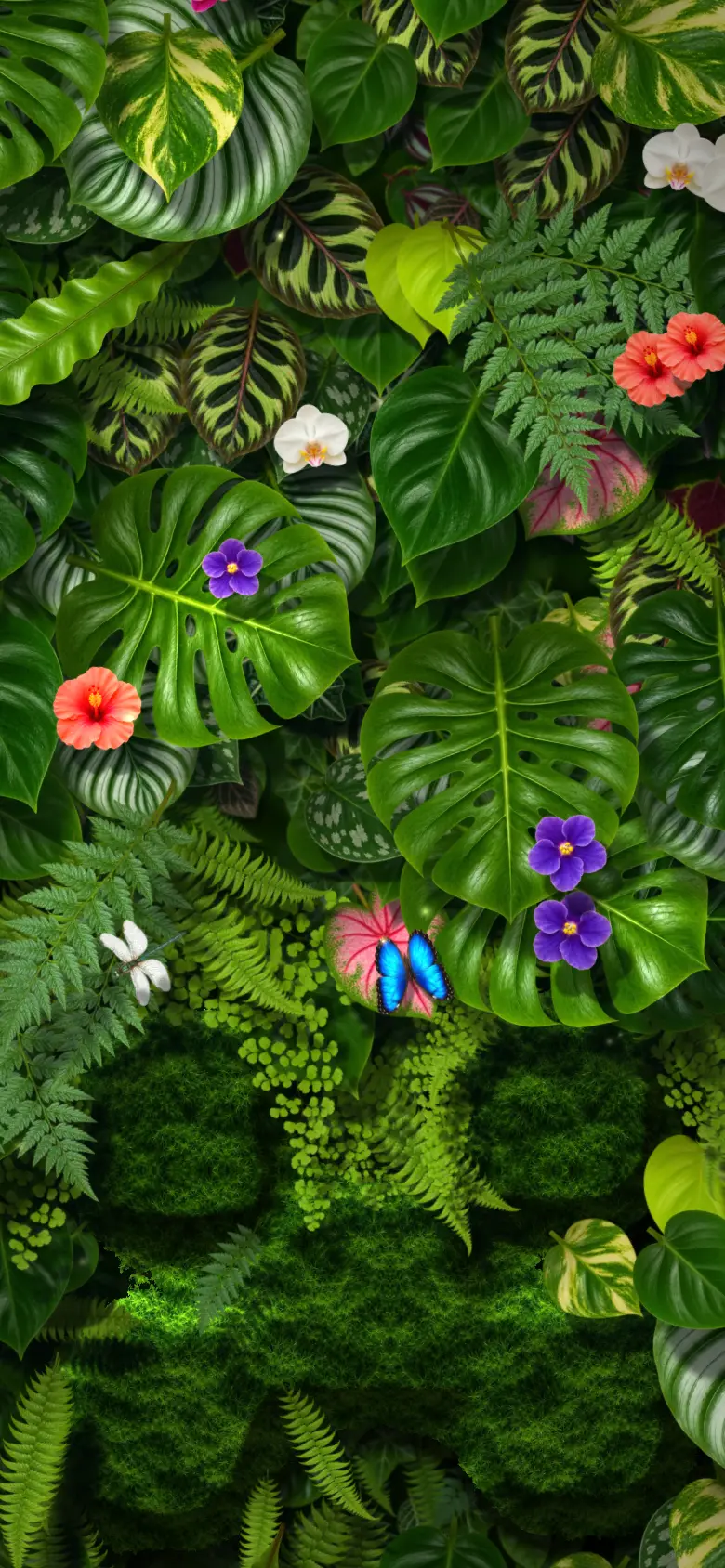
A tiny Mac app, just for fun
Not a wallpaper. A little world.
Living Wall turns your Mac desktop into a small living scene. Leaves sway in a slow breeze. Butterflies land on flowers, a ladybug wanders across a leaf, and a dragonfly hovers, then darts away. Turn on icon following and every icon gets a home in the leaves: a little pool that follows it. Move one and everything reacts. It never plays the same way twice.
This page is a desktop. Go on, drag something. Then try another world, down in Themes.
- Four wallpapers free · First Pack $2.99
- macOS 13 or later
- No account, no permissions needed
- Icon following is optional
Two steps. The third one is optional.
- Open it. It lives in your menu bar, next to the clock. No Dock icon, no window to babysit.
- Enjoy it. The wallpaper starts right away. No account, no permissions, nothing to set up.
- Optional: let it peek. The welcome window offers icon following. Click Turn on icon following, and macOS asks if Living Wall may control Finder. Click Allow. Living Wall uses it for one thing: asking Finder where your icons sit, like a gardener who knows where the rocks are. Then drag something. Finder still does all the real work. The scene just reacts, happily.
What's alive in there
- Visitors with their own plans
Butterflies, a bee, a dragonfly and a ladybug come and go on their own. Each one picks a flower or a leaf to land on. Who shows up, and where, is never the same twice. Bigger screens get more visitors.
- Every icon gets a home
With icon following on, the leaves part around each icon and leave a little pool. Drag an icon and its pool follows. Park two close and their pools join. Land a folder next to a resting ladybug and off it goes. On Beach your icons sit on sandy islands, and on Meadow each one rides its own cloud. On Living Reef the water opens under them, and in Autumn Yard they rest on patches of bare earth. On Frosted Window each icon wipes its own clear patch in the frost.
- A slow breeze
Leaves sway and cast soft, drifting shadows. Calm, never busy.
- Your call
Switch Animation and Shadows from the menu bar. Try the leaf up there . It also has a few early looks for those homes.
Nine little worlds. Six to try right here.
Tap one and this whole page changes behind you. Your icons stay put, and each world makes room for them in its own way. The app, Autumn Yard, Little Lagoon, Beach and Meadow are free. The First Pack (Lush Green, Living Reef and Paper Desert) is $2.99, one time, until January 1, then $3.99. No subscription. First Packs bought before January 1, 2027 also get every new wallpaper released in 2026, free. The Christmas Pack (First Snow and Frosted Window) is $2.99, one time. A First Pack bought before January 1, 2027 includes it.
- Lush Green · First PackA quiet green world. Visitors drop by all day, and nothing happens the same way twice. Your icons rest by little pools. More about Lush Green
- Beach · FreeA sunny cove. Kayaks paddle past, birds glide over, and your icons rest on sandy islands. More about Beach
- Meadow · FreeA kid runs with a kite. A cat does what cats do. Your icons ride on clouds above the grass. More about Meadow
Three brand-new ones to play with. The fourth, Living Reef, swims only in the app, so here is a peek.
- Autumn Yard · FreePippi rakes the leaves. Lilly the dog has opinions about leaf piles. Your icons rest on patches of bare earth. More about Autumn Yard
- Little Lagoon · FreeEvery icon gets its own sand island. Crabs scuttle, a little boat sails, and now and then a sandcastle goes up. More about Little Lagoon
- Paper Desert · First PackA sunny desert cut from paper. An old tortoise strolls by with a balloon, a Gila monster wanders, and a snake curls up in the sun. Click them and see what happens. More about Paper Desert
-
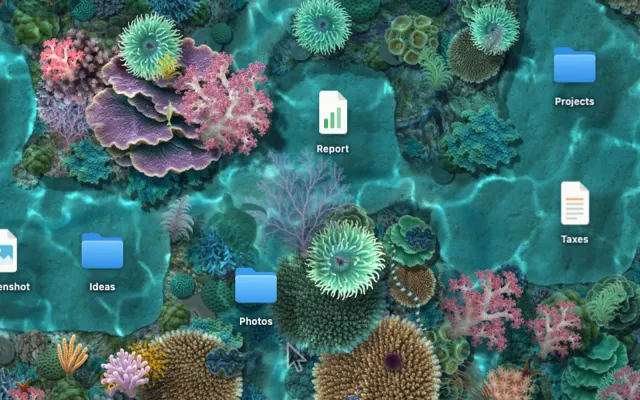 Living Reef · First PackDrop a folder over the coral and the water opens under it. A turtle drifts by, minding its own business. In the app only. More about Living Reef
And two for the holidays, in the app only: the Christmas Pack.
-
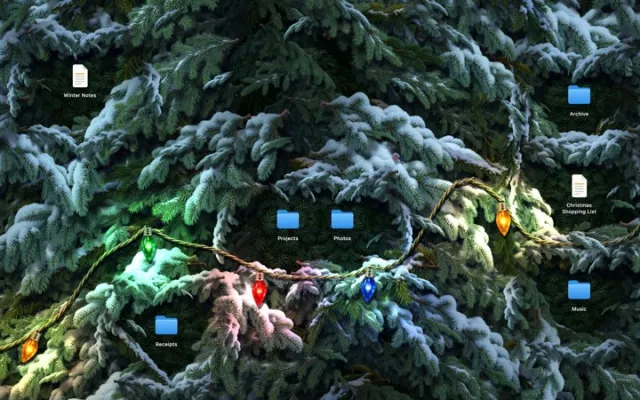 First Snow · Christmas PackA snowy fir at blue hour, with old coloured lamps on a cord. A bullfinch hops from bough to bough. Your icons rest in dry nests where the snow did not fall. More about First Snow
-
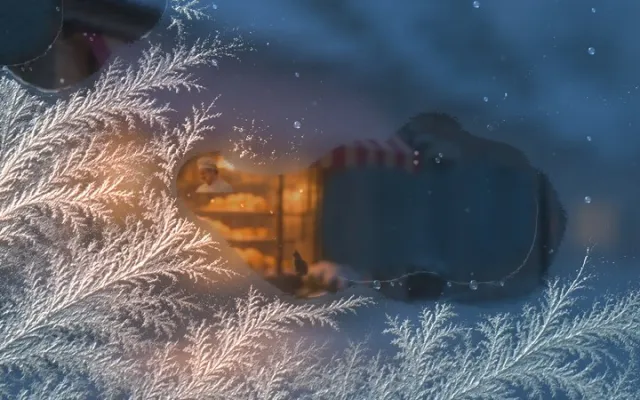 Frosted Window · Christmas PackWipe the frost and peek at the bakery across the street. The baker sets out loaves, a cat watches the snow, and the frost slowly grows back. More about Frosted Window
The Christmas Pack (First Snow and Frosted Window) is $2.99, one time. A First Pack bought before January 1, 2027 includes it. Get the Christmas Pack · $2.99
The privacy bit, kept short
- It needs no permissions. With icon following on, it sees where your icons are. Not their names, not what's inside.
- No account and no trackers. The app sends anonymous usage counts once a day. You can turn them off in Settings → About.
- This site sets no cookies and shows no ads. It counts visits anonymously.
- Finder stays in charge of every click, drag and drop.
Free to download.
- Open LivingWall.dmg from your Downloads.
- Drag Living Wall into Applications.
- Open it from Applications. Look for the leaf in your menu bar.
macOS 13 or later · No permissions needed · Works on every display
Autumn Yard, Little Lagoon, Beach and Meadow are free. The First Pack (Lush Green, Living Reef and Paper Desert) is $2.99, one time, until January 1, then $3.99. The Christmas Pack (First Snow and Frosted Window) is $2.99, one time. Licenses and credits
Questions, answered quickly
Does it need any permissions?
No. The wallpaper runs with no permissions at all. Icon following is optional. If you turn it on, macOS asks if Living Wall may control Finder. That is how an app asks Finder where the desktop icons are. Living Wall asks only for their positions. No names, no contents, and it never clicks anything for you.
Is it free?
The app, Autumn Yard, Little Lagoon, Beach and Meadow are free. The First Pack (Lush Green, Living Reef and Paper Desert) is $2.99, one time, until January 1, then $3.99. No subscription. First Packs bought before January 1, 2027 also get every new wallpaper released in 2026, free. The Christmas Pack (First Snow and Frosted Window) is $2.99, one time. A First Pack bought before January 1, 2027 includes it. Already have a Lush Green key? You own the First Pack, Living Reef and Paper Desert included.
Will it eat my battery?
It's built to idle gently: about 30 frames a second when calm, 60 only while you drag, and it rests when it's hidden or when Animation is off.
My icons keep snapping back. Why?
Finder is tidying them. Right-click the desktop, choose Sort By → None, and turn off Use Stacks.
Spaces? More than one display?
Yes. Each display gets its own wallpaper, or keeps your normal macOS picture: choose System Wallpaper for it. A wallpaper shows on every Space of its display. To show it only on some Spaces, turn on Choose Wallpaper per Space in the menu. Other Spaces then keep your macOS picture. macOS gives apps no lasting name for a Space, so these picks last until Living Wall quits or updates. After that, only the Space you are on gets the wallpaper back.
What happens when I quit?
Your normal wallpaper comes back. Nothing on your desktop moves.
How do I get rid of it?
Quit it from the leaf in the menu bar and drop the app in the Trash. Hid the leaf? Open Living Wall again from Applications, and Settings comes back. If you turned on icon following, you can switch off its access in System Settings → Privacy & Security → Automation: turn off Finder under Living Wall.
Is it open source?
The app, Lush Green, Living Reef, Autumn Yard, Little Lagoon and Paper Desert are not. The free Beach and Meadow themes are adapted from an open-source project, and their source is public under GPL-3.0. Licenses and credits.
Windows? iPhone?
Nope, Mac only. But this page works anywhere, so drag away.