Wallpaper
Little Lagoon
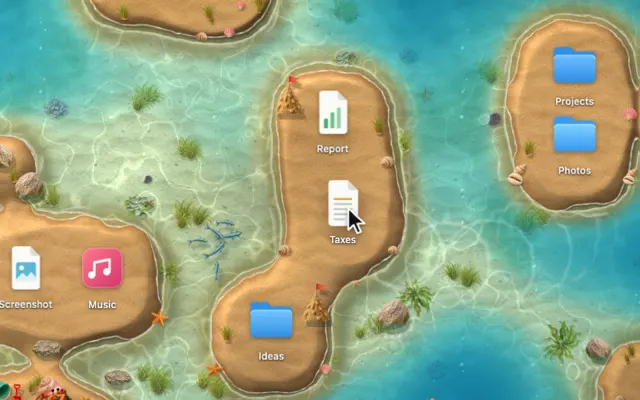
A toy beach in a warm lagoon, on your Mac desktop. Clear water shows the sandy bottom, sea plants grow in the shallows, and small waves lap at the shore. It is drawn live, so it never loops like a video.
Who lives here
Hermit crabs scuttle along the sand. A gull drops in for a look. A little toy sailboat and a rubber duck drift over the water, and fish and a sea turtle swim below. Now and then a crab builds a sandcastle, one tower at a time, until a big wave washes it away. Then it starts again somewhere else.
Your icons live here too
With icon following on, every desktop icon gets its own sand island. Put two icons close and their islands flow into one. Drop an icon on a sandcastle and it is squashed flat. The crab is not pleased.
When you drag an icon
Its island follows. A fast drag pulls a neck of sand out behind it, and the island settles when you let go. Fish dart away and the boat rocks off. Finder still does the real work. Little Lagoon only reads where the icons are.
Battery
Little Lagoon draws about 30 frames a second when calm and 60 only while you drag an icon. It rests when it is hidden, or when you turn Animation off.
How to get it
Little Lagoon is one of the wallpapers in Living Wall, a small Mac app for macOS 13 or later. Little Lagoon is free. The app needs no account and no permissions. Icon following is optional.