Press
Press kit
In one sentence
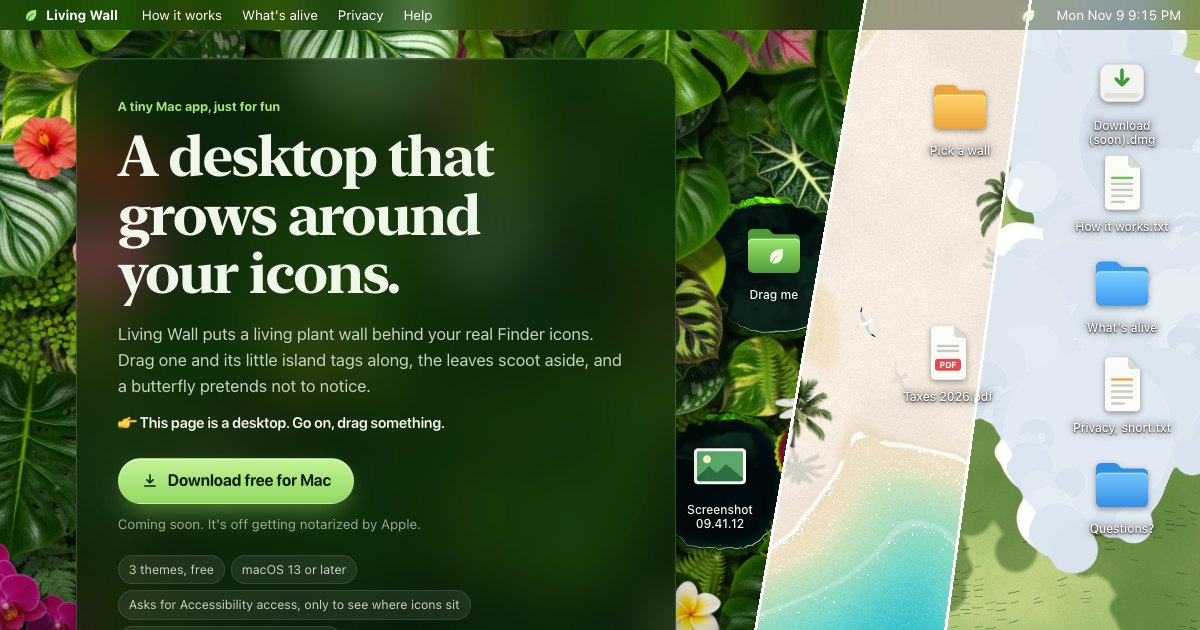
Living Wall is a small Mac menu bar app that puts a live wallpaper on your desktop, and the wallpaper can grow around your real desktop icons.
In one paragraph
Living Wall draws a living scene on the Mac desktop: a plant wall, a beach or a meadow. It runs with no account and no permissions. If you turn on icon following, each desktop icon gets its own island, pool or cloud, and the scene follows the icon when you drag it. Finder still handles every click and drag. The website is a working copy of the idea: on a Mac, the page is a desktop that you can drag.
Facts
- Name: Living Wall (two words).
- Platform: macOS 13 or later. Direct download from livingwallapp.com.
- Price: the app, Beach and Meadow are free. Plant Wall is $2.99, one time. No subscription.
- Privacy: no account, no analytics in the app. Icon following is optional and reads icon positions only. Privacy.
- Download: livingwallapp.com/download/LivingWall.dmg. Signed and notarized by Apple.
- Maker: an independent developer.
- Credits: Beach and Meadow are adapted from the open-source Deskland project (GPL-3.0). Licenses and credits.
Images
You may use these images in articles, posts and videos about Living Wall.
- Three wallpapers side by side (JPEG, 1200 × 630)
- Plant Wall, wide (WebP)
- Plant Wall, Beach, Meadow (WebP, 640 × 400)
- Leaf mark (SVG)





Contact
Write to hello@livingwallapp.com. When the app is out, writers and video makers can ask for a free Plant Wall key.