Wallpaper
Plant Wall
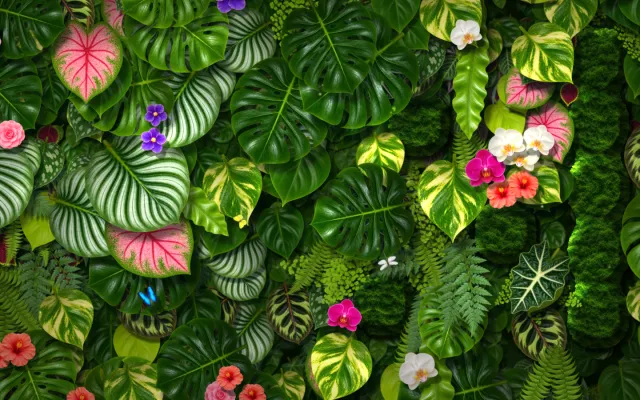
A green wall of leaves on your Mac desktop. The leaves cast soft shadows that drift with a slow breeze. It is calm, and it never loops like a video, because the app draws it live.
What moves
- Leaves and shadows. They sway slowly. You can turn the shadows off.
- Winged visitors. Butterflies, a dragonfly and sometimes a ladybug fly across. Bigger screens get more visitors.
- Islands. With icon following on, each desktop icon gets its own little island. The leaves move aside to make room.
What happens when you drag an icon
The island follows the icon. Put two icons close together and their islands join. Pull one away and the island stretches, then lets go. Finder still does the real work. Plant Wall only reads where the icons are.
Island looks
Choose how the islands look: pool, moss, felt, cushion or slate. You can change the look from the leaf menu.
Battery
Plant Wall draws about 30 frames a second when calm and 60 only while you drag an icon. It rests when it is hidden, or when you turn Animation off.
How to get it
Plant Wall is one of the wallpapers in Living Wall, a small menu bar app for macOS 13 or later. Plant Wall costs $2.99, one time, with no subscription. The app needs no account and no permissions. Icon following is optional.